Privacy and your data
For: Members
You can download a copy of the data your studio holds about you, or ask them to erase it. Open Account → Privacy & data.
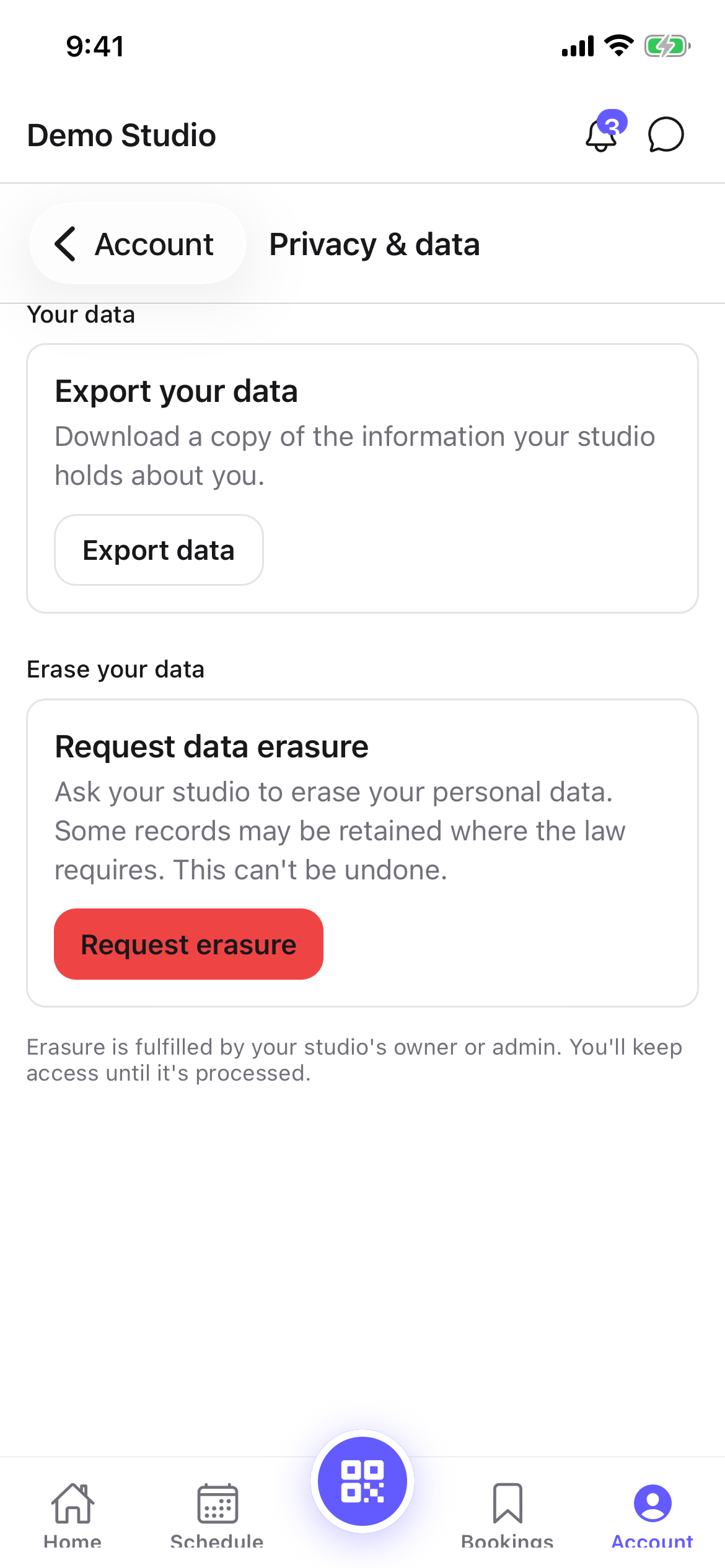
Export your data
Under Export your data, tap Download my data (the app says Export data). ClassLift prepares a copy of your data as a JSON file for you to save.
Request erasure
Under Request data erasure, tap Request erasure to ask your studio to erase your personal data.
- Confirm on the prompt (in the web portal you can add an optional reason).
- This files a request with your studio — it doesn't immediately delete your account. Your studio's owner or admin reviews each request and follows up. Some records may be kept where the law requires it, and you keep access until it's processed.
Tips
- Export your data any time you want a personal copy — it's a plain JSON file.
- Erasure is a request, not an instant delete; your studio handles it and will be in touch.
Troubleshooting
| Issue | What to do |
|---|---|
| My export didn't download | Try again; on the app it may save to your device's storage. |
| I want to cancel an erasure request | Contact your studio — they review and process each request. |
| I still have access after requesting erasure | That's expected — you keep access until your studio processes the request. |