Showing your check-in code
For: Members
Your check-in code is how the studio knows it's really you. Show it whenever you arrive — at the front desk or a kiosk — and you're checked in. This page shows where to find your code, how to use it, and where your visits are recorded.
Finding your code
- Open ClassLift — the mobile app or the web portal.
- Go to Check in. In the mobile app it's the QR button in the middle of the bottom bar; in the web portal it's Check in in the menu.
- Your code appears under Your check-in code. Below it you'll see Rotates every 30 seconds (the mobile app says Refreshes automatically every 30 seconds) — that's normal, and it keeps your code secure.
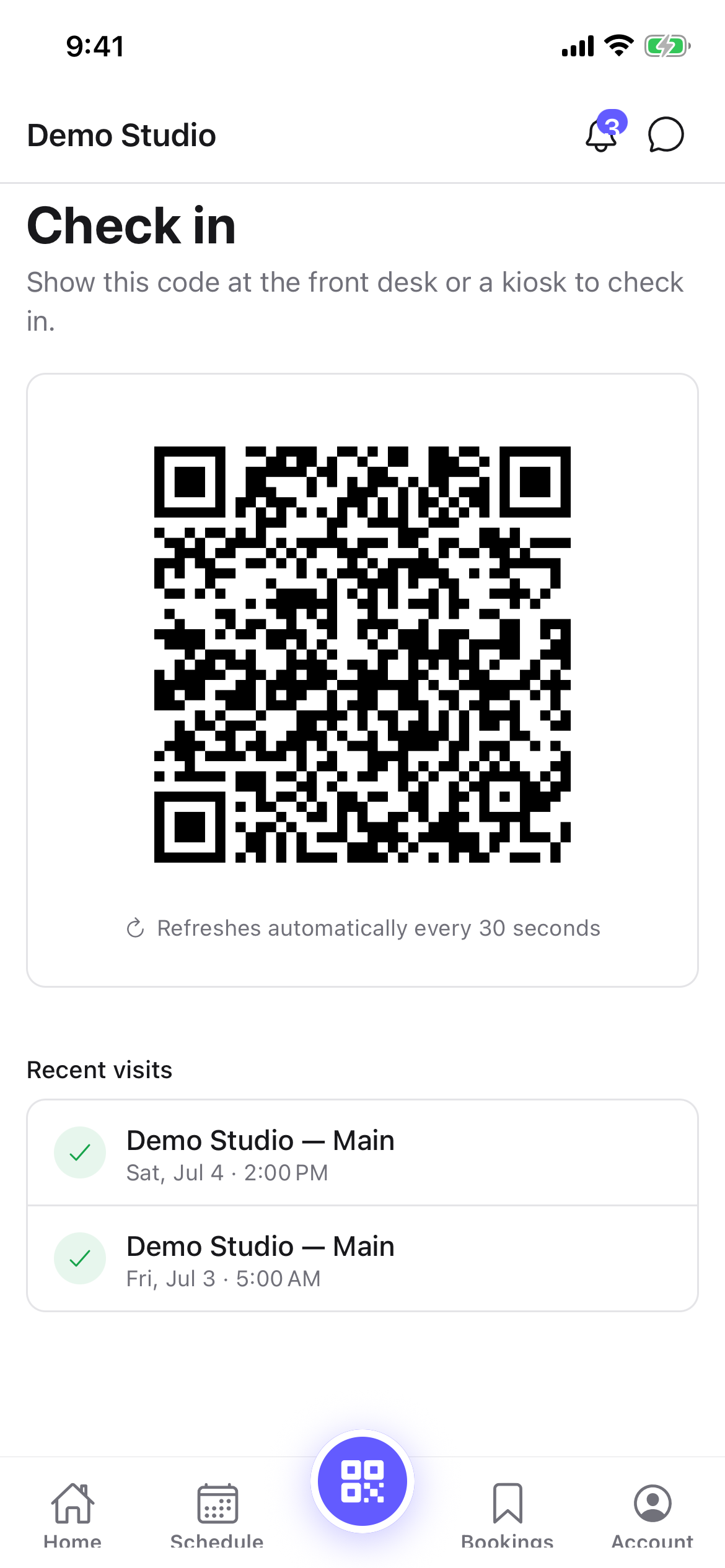
Showing it to staff
Hold your phone up so the front desk can see the screen. Staff scan your code and confirm you're checked in — you don't need to say which class you're here for.
What happens when you check in
- If you booked a class, your booking is marked attended automatically.
- If you didn't book anything (an open-gym visit, say), your arrival is still recorded as a visit.
Your visit history
Your visits are listed under Visit history (the mobile app calls it Recent visits) on the same Check in screen, newest first, each showing the location and time. Tap Load more (Show more on mobile) to see older visits.
Tips
- Turn your screen brightness up before you scan — it helps cameras read the code.
- You don't need to open the code early. It's always current; just open it when you reach the desk or kiosk.
- No phone with you? Staff can check you in by name, or use a kiosk's name search.
Troubleshooting
| Issue | What to do |
|---|---|
| The code won't scan | Turn your brightness up, hold the phone steady, and wait for the code to refresh, then try again. |
| That code has expired | Your code rotates every 30 seconds — wait for it to refresh and scan again. |
| Your membership isn't active | There may be an issue with your membership. Check with the front desk. |
| No phone with you | Use a kiosk's Search your name, or ask staff to check you in by name. |