Membership & billing
For: Members
Your Membership & billing screen shows your plan, your saved card, and your invoices — everything about what you pay and when. You'll find it under Account.
Key Concepts
| Concept | Description |
|---|---|
| Membership | Your plan and its status — active, past due, frozen, or cancelled. |
| Renewal | When your membership next renews and is charged. |
| Payment method | The card you keep on file for your membership and purchases. |
| Invoice | A charge for your membership or a purchase, marked paid, open, or past due. |
How it works
- Your membership shows your current status and when it renews.
- Your payment method is the card kept on file — add or update it from the app or the web portal.
- Your invoices list what you've been charged, with a way to pay anything outstanding.
Joining a studio
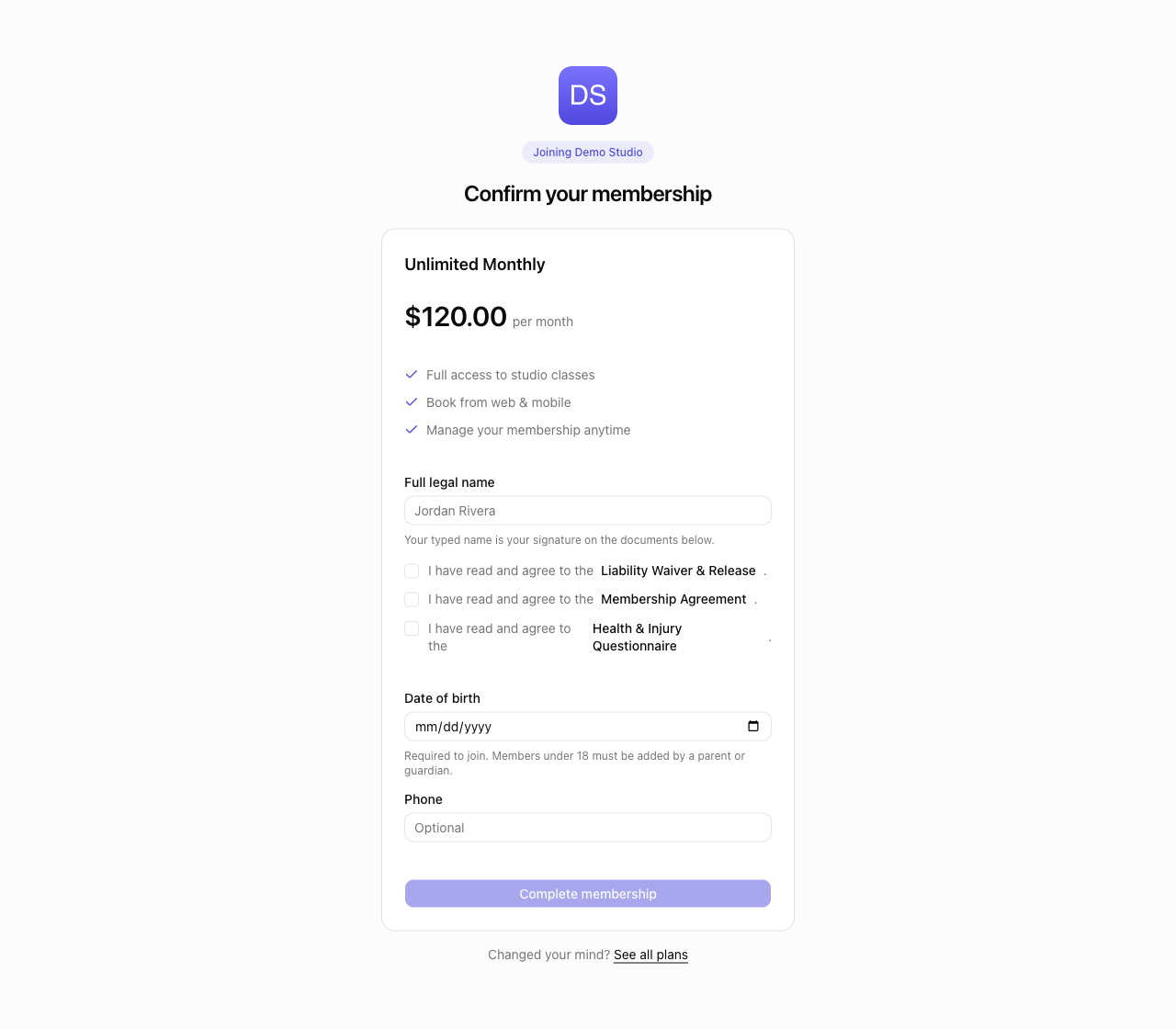
When you join a studio from its public page and confirm a plan, you finish on a short confirmation screen. Fill in:
- Date of birth (required) — the studio needs it to complete your membership. As the screen notes, Members under 18 must be added by a parent or guardian.
- Phone (optional) — a contact number for the studio.
If the studio requires any documents, you'll also enter your Full legal name and tick I have read and agree to the … for each document before you can join. Click Read document under any of them to read the full text first — you can always see what you're agreeing to, and you can re-read it later from Account → Documents.
Under 18? You can't join a studio on your own. You'll see: Members under 18 must be added by a parent or guardian. Please ask your parent or guardian to add you from their account, or contact the studio. A parent or guardian adds you instead from their own account — see Family.
The same Date of birth (required) and Phone (optional) fields appear when you accept a member invitation, or a family or group invitation. See My team.
Where to find it
- Membership & billing: open Account → Membership & billing in the web portal or the app.
Learn More
- Managing your billing — your plan, your card, and your invoices
- Examples — real-world billing situations
- Related: Booking classes · Checking in