Membership Plans
For: Owners & Managers
Plans are what members subscribe to — a name, a price, a billing cadence, and what the membership includes. You create them once, and members join them when you invite them or when they sign up.
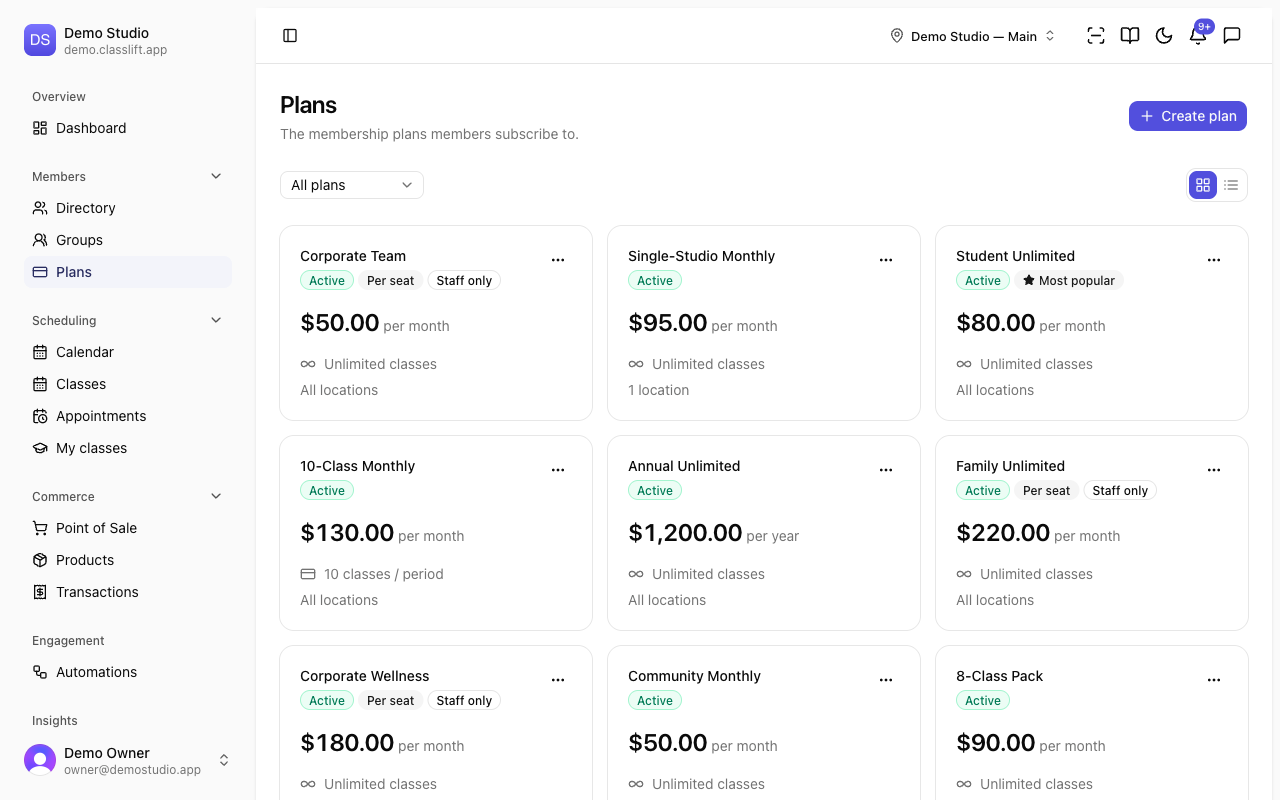
Switch between a card view and a compact list view using the toggle at the top right of the page — the list view puts every plan's price, class allowance, and location access in a single scannable table, handy when you have a lot of plans.
Key Concepts
| Concept | Description |
|---|---|
| Plan | A membership offer: its price, billing period, class allowance, and location access. |
| Billing period | How often a member is charged — weekly, monthly, or yearly, optionally every few periods. |
| Class allowance | Either unlimited classes or a set number of classes per billing period. |
| Location access | Which of your locations the plan includes — all, only specific ones, or all except some. |
| Group plan | One membership that covers a family or corporate group. Billed either as a flat rate (family) or per seat (corporate). Powers Groups. |
| Public sign-up | Whether a plan appears on your public sign-up page. On by default; turn it off for staff-only plans. Per-seat corporate plans are always studio-provisioned. |
| Most popular | The one plan you want to highlight on your public page. Only one plan can be featured at a time, and only a plan that appears on your public sign-up page. |
| Retired | A plan hidden from new signups. Current members keep it and their price. |
How it works
- Create a plan with its price, billing period, class allowance, and location access.
- Feature the plan you most want to sell so it's highlighted as Most popular on your public page (optional).
- Members join it — you invite them onto it, or they sign up.
- Change a plan's pricing or entitlements any time; existing members keep their current price.
- Retire a plan when you stop offering it; members on it are unaffected.
Where to find it
- Plans (Members → Plans): create, edit, and retire your membership plans. Owners and managers only.
Learn More
- Creating a plan — every field in the plan form, how to feature your best plan, and how to retire a plan
- Examples — real-world plan setups for different studios
- Related: Members · Groups