Billing
For: Owners
Billing is your studio's own ClassLift subscription — what you pay to use ClassLift, and the payouts of your members' transactions to your bank. It's owner-only; managers and staff don't see it. Go to Settings → Billing.
What you pay
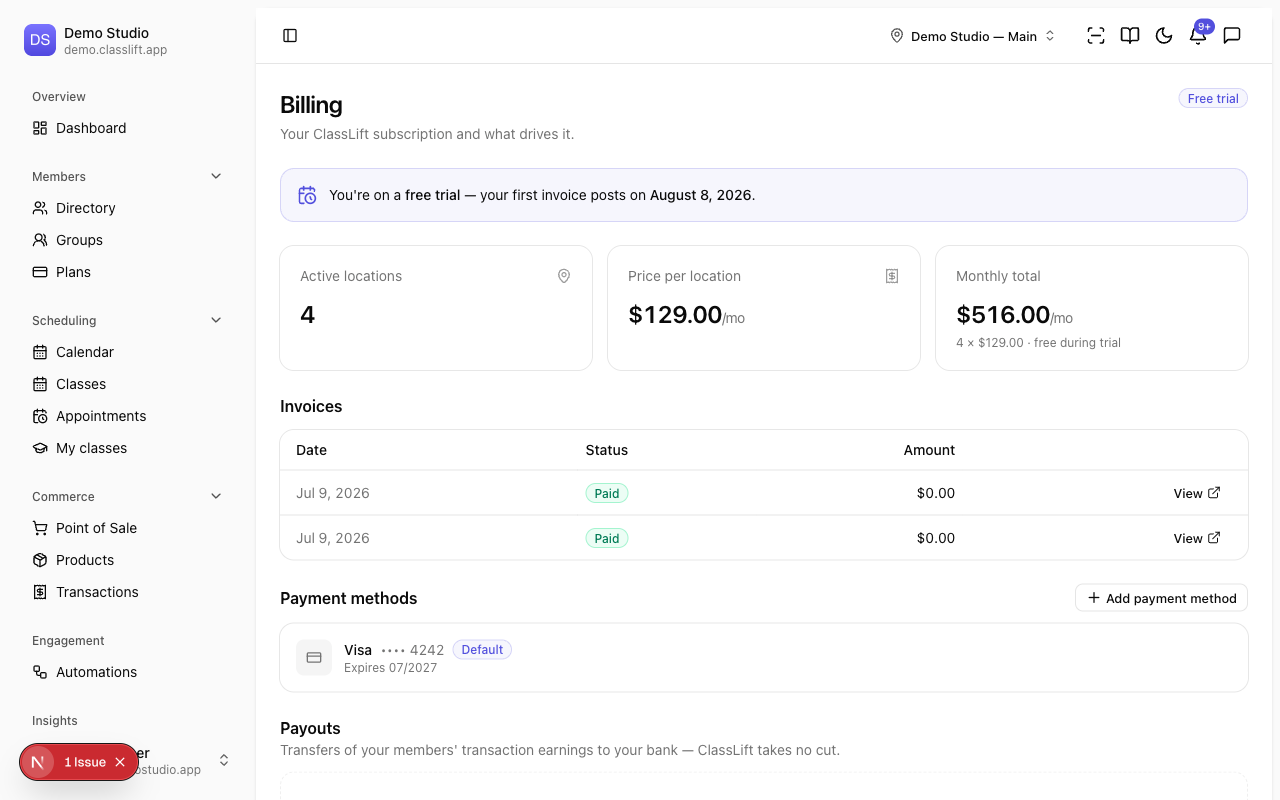
ClassLift is a flat $129/mo per active location — there's no per-member fee. The summary cards show:
- Active locations — how many you have.
- Price per location — $129.00/mo.
- Monthly total — your active locations × $129.
Your subscription's state (for example Free trial, Active, or Past due) shows next to the heading. During a free trial you'll see when your first invoice posts.
Invoices
The Invoices section lists your ClassLift charges with their Date, Status, and Amount. Use View to open a full invoice, and Settle to pay an open one (it charges your default payment method to bring the subscription back into good standing).
Payment methods
Under Payment methods, click Add payment method to save a card (stored securely by Stripe). Set a Default card — it's used for your subscription and any settle-ups. Keep a valid card on file so your subscription doesn't lapse after the trial.
Payouts
Payouts are transfers of your members' transaction earnings to your bank — ClassLift takes no cut. Each shows its Amount, Status, and Arrival. Payouts appear here as your members' transactions settle.
Tips
- Add a card before your trial ends so billing continues smoothly.
- Pricing is per active location — pausing a location with Temporarily close removes it from your bill (see Locations).
Troubleshooting
| Issue | What to do |
|---|---|
| I don't see Billing | It's owner-only. Ask an owner for subscription changes. |
| My subscription needs attention | A payment didn't go through — open the open invoice and Settle it. |
| Invoices or payouts are empty | They fill in once billing is live and your members' transactions settle. |