Notifications
For: Owners & Managers
Text messaging isn't available yet. SMS is awaiting carrier approval, so the SMS channel described on this page isn't shown in ClassLift right now. Everything else here works as written.
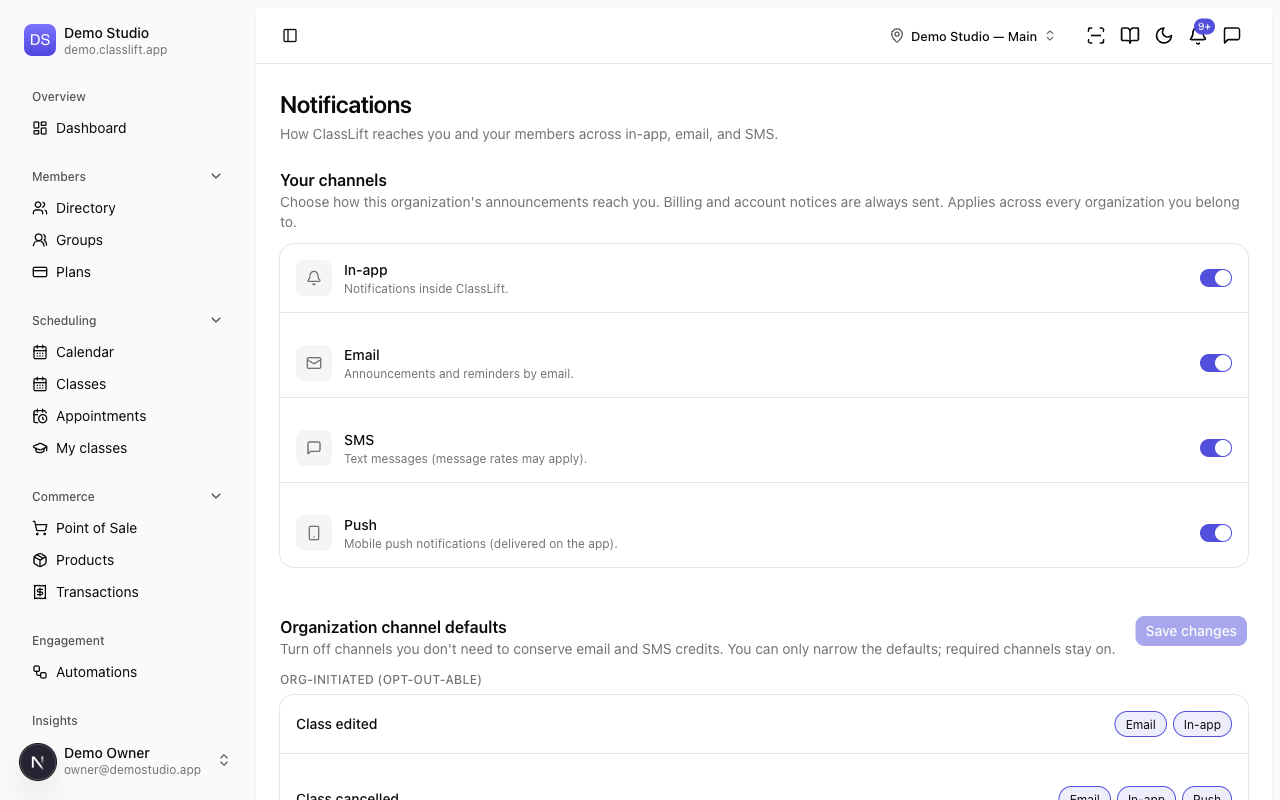
The Notifications settings control how ClassLift reaches you and your members across in-app, email, and push. Go to Settings → Notifications. There are two blocks.
Your channels
Your channels is your own preference — how this organization's announcements reach you. Toggle In-app, Email, SMS, and Push on or off. Billing and account notices are always sent, and your choice applies across every organization you belong to.
If a channel shows Suppressed, it's undeliverable (a bounce, or an SMS STOP opt-out) — an admin can restore it.
This is your personal setting. Members set their own channels under Account → Notifications — see the member guide, Notifications and preferences.
Organization channel defaults
Owners and managers also see Organization channel defaults — a way to turn off channels you don't need so members only hear from you where it matters. You can only narrow the defaults; required channels stay on.
Notifications are grouped by type:
- Org-initiated (opt-out-able) — things like class reminders, win-backs, and renewal reminders, where you can drop a channel.
- Transactional (always sent) — booking confirmations, payment notices, and the like.
- System (always sent) — account and platform messages.
For each notification, toggle the channel pills (In-app, Email, SMS, Push). A locked channel is required and can't be removed. Click Save changes to apply.
Tips
- Trim SMS on lower-priority, org-initiated notifications to save credits — keep it for time-sensitive ones like reminders.
- You can't switch off transactional or system messages; those always reach members so nothing important is missed.
Troubleshooting
| Issue | What to do |
|---|---|
| A channel is locked on | It's a required channel for that notification and can't be turned off. |
| A member says they're not getting texts | Check the Organization channel defaults haven't turned SMS off for that notification, and that the member hasn't opted out in their own settings. |
| My own channel shows Suppressed | It bounced or was opted out — an admin can restore it. |